
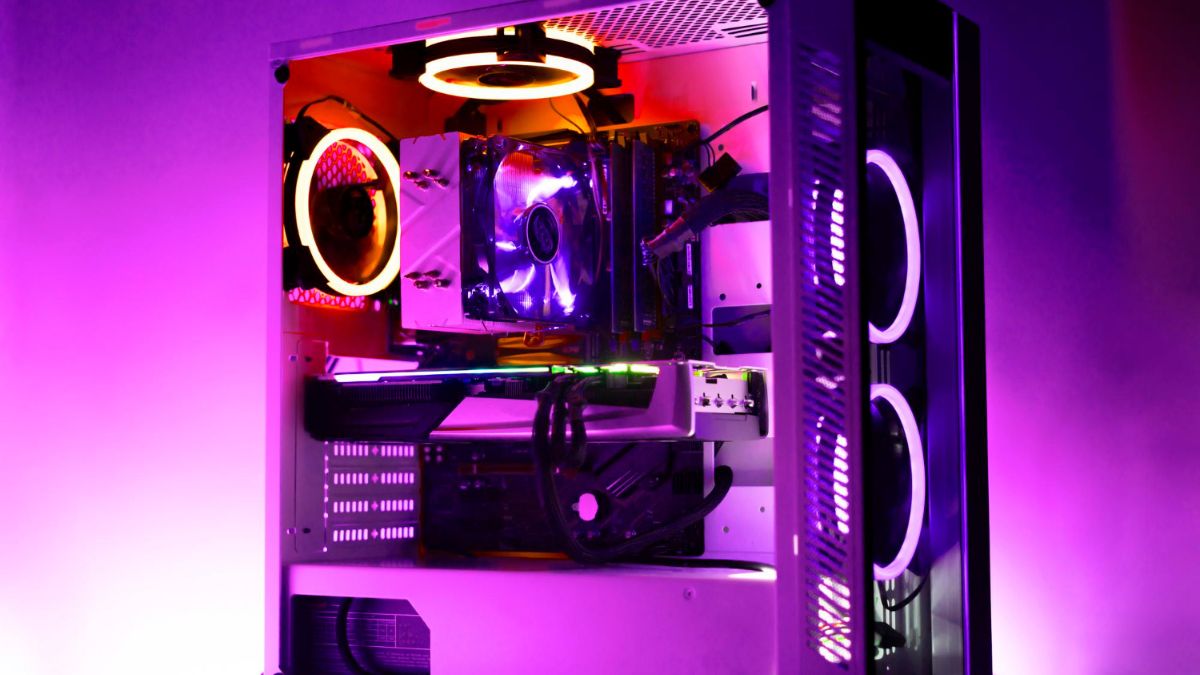
Gaming PCs have never been more popular. Instead of taking the time to research parts, concern about compatibility or the assembly process, more and more gamers are looking to the purchasing of pre built gaming PC out of necessity instead. It allows saving of time, and it can not be complicated; you can play games immediately. But all pre-made PCs are not created equal. Some look powerful and may have weak parts, a small number of upgrade options, or even poor cooling.
So, before you spend your money on one, here are the 9 most important things to check out first in order to make sure that you’re getting real gaming value – not just fancy lighting and marketing hype.
Table of Contents
1. Check the CPU (Processor)
The CPU is the brain of your gaming pc. It has control of gaming performance, multi-tasking and system general speed. While many pre-built PCs emphasise the importance of the graphics card, the processor is equally important.
Look for a new generation Intel Core i5 / i7 or AMD Ryzen 5 / Ryzen 7 processor. Avoid using obsolete CPUs or low-level models that may possibly become a bottleneck in performance with modern games.
2. Make the GPU Powerful Enough
The single most important part of gaming is the graphics card (GPU). Don’t get fooled by fancy-looking PC cases. Have a look at what’s inside. Make sure the PC is one with a separate graphics card, and not integrated graphics. Good GPUs for nearly built gaming PCs are:
- Nvidia GeForce RTX series (3050, 3060, 4060, 4070, etc.)
- AMD Radeon RX series (6600, 6700 XT, 7600, 7700 XT)
A decent gaming pc should not be a compromising one when it comes to graphics power.
3. Pay Attention to RAM
RAM has an effect on how smooth a running environment your system would have, for example, if you were gaming, streaming or multitasking. Most ready-made PCs are available in 8GB or 16GB RAM. For gaming purposes in 2024 and beyond, 16GB is ideal. Also check:
- RAM type (DDR4 or DDR5)
- Speed (measured in MHz)
Whether it has added slots for possible future upgrades.
4. Storage: SSD vs HDD
Storage impacts the load time of games, system responsiveness, and the performance of games. HDDs are also much slower, and so why you can still find one in the low-end flagships manufactured by companies that have prepared their pre-built PCs by default comes with them.
Prefer:
- SSD (Solid State Drive) to reduce loading time
- NVMe SSDs for Better Speed
- Optional Secondary HDD (for More Storage)
Ideal Setup – 512GB (or 1TB SSD) / SSD Plus HDD combo
5. Cooling System – Don’t Skimp
Gaming generates heat. If the pc doesn’t have the suitable cooling, then the temperature will rise, and the performance will fall, as the actual parts sound out quicker. Things to check:
- Does it have more than one fan to have the air flow?
- Does it include at least 1 exhaust and intake fan?
- Liquid cooling – Optional but awesome for high-end builds.
Ignoring PCs that only have one fan and don’t have good ventilation, even though they look nice
6. Quality and Power Supply
The power supply (PSU) is one that has often been overlooked, though it is very important for system stability/safety. Some pre-made PC save on money by having an unreliable power supply.
Check for:
- 80 Plus Bronze or Gold certified PSU
- Reputable brands
- Enough watts (usually 500W to 750W) according to GPU
A good PSU is a good means to ensure long-term reliability, as well as preventing damage to components.
7. Future Upgrade Options
Even if you are getting a pre-built PC, you will want to be able to upgrade your computer in the future. And, be careful not to lock the system down using proprietary stuff that’s hard to replace. Look for:
- Extra RAM slots
- Space for another SSD or HDD
- Standard ATX / Micro ATX motherboard (Not custom)
- Enough capacity power supply for future upgrade of the GPU
8. Warranty and Customer Support
Always make sure that you ask the seller what kind of guarantee they have. A good pre-built gaming pc should have a warranty that will last for a minimum of 1 whole year for parts, repair or replacement. Confirm:
- Warranty does not cover individual components
- Accessibility of customer support
- Simplicity in claiming repairs/ replacements
9. Performance & Reviews For The Real World
Claims on the package may be misleading. Before you buy a product, study online for some real customer reviews and performance standards for that model. What to look for:
- Performance of Display FPS in Popular Games
- Load and reports of temperatures
- Noise levels from fans
- Long-term user experiences
Final Thoughts
Purchasing a pre-built gaming pc is a pleasing move if you want performance without having to worry about building your own computer. But to get true value, you need to look at the abnormality and not fast the flashy casing, RGB lights and phrases on marketing. Focus on the actual parts, Cooling, upgrade capability and life.
By making sure to check these nine key points, you’ll make a confident and informed purchase – and get a gaming PC that isn’t only powerful for today, but will remain powerful for years to come.
Also Read: Wheon Cricket 07 Review: A game that marks a generation of cricket gaming